T-Minus 10…
Your site cloned and launched in 10 days or less!
Clone & Upgrade
Your WordPress (or other outdated site) rebuilt on Astro, matched to the original. Get up to 5x faster speeds with enterprise grade security. No database to hack. No plugin bloat. It's a performance enhanced Clone of your site ready for any mission!
Standard conversion, live in 10 days
A redesign asks you to re-decide everything. A CloneA Clone is a carbon copy of your WordPress site that is visually indistinguishable (within 97% tolerance) from the original. It loads up to 5x faster and hits 90-100 on mobile. asks you to decide nothing, except for "Am I through with that slow, outdated website?" Your visitors see the same site they always did, now it just loads at the speed of light.
Plus, there's no longer a database or thirty plugins waiting to be exploited. Our static sites ensure there's a lower attack surface to hack into.
And you get it in days, not months. A standard conversion is done in just 10 days.
Want to make some improvements while we're at it? A Clone creates an exact copy that performs. An Upgrade creates a fresh new look on top of that foundation.
Standard conversion, live in 10 days
T-Minus 10…
Your site cloned and launched in 10 days or less!
Up to 5xFASTER
Largest Contentful Paint. Google scores you on it, and visitors decide on it. Our conversions get it to around 2 seconds or less.
Lower attack surface
A static site has no plugins, no database, and no server-side code, so the usual WordPress break-ins have nothing to aim at.
90-100%MOBILE
Reduced page weight results in a guaranteed 90-100% mobile performance score.
This is the real deal. No delayed scripts. No clever tricks. Just a lean site that will ace speed tests for years to come.
WordPress has to BUILD your page before it can send it. Every single visit: wake the server, hit the database, run thirty-seven plugins, let the page builder stack up a few hundred nested divs. Your visitor waits through the whole performance.
An Astro site skips the act entirely. No database, no WordPress backend, no server thinking about it. The page already exists, finished, parked on Cloudflare's network a few milliseconds from your visitor. A fifth of the weight and a tenth of the divs land in their browser, so there's less to download, less to draw, and nothing to wait on. Same reason there's nothing left to break into.
WordPress is vulnerable because it constantly talks to a MySQL database. Astro sites are compiled ahead of time, leaving hackers with no database to target.
You won't need 30 plugins just to make the site work, closing up the number one source of WordPress security breaches.
There's no server or database to go down. Because Cloudflare caches the entire site at the edge, closest to the user, the site can handle massive viral traffic spikes without breaking a sweat or costing a fortune in hosting.
A standard conversion is done in 10 days.
A measured conversion
Our old WordPress/Elementor site was scoring only 65 on mobile and took about 10 seconds to paint its largest element. No matter what we tried, we just couldn't escape the heavy DOM size and DIV soup. Ultimately, we were forced to jettison WordPress and Elementor.
Our cloned site (the one you're currently browsing) comes in at a blazing 99 score on mobile and paints in just under 2 seconds. It's the exact same site, just 5x less page weight and only 1/10th of the DIVs. 🤘
| madebyproxy.com homepage | Before: WordPress + Elementor | After: Astro | Change |
|---|---|---|---|
| Performance score (mobile) | 65 | 99 | +34 pts |
| Largest Contentful Paint | 9.9s | 2.1s | ~5x faster |
| First Contentful Paint | 3.5s | 1.2s | ‑66% |
| Total Blocking Time | 123ms | 0ms | Gone |
| Speed Index | 4.7s | 1.2s | ‑74% |
| Total page weight | 5.7 MB | 1.0 MB | ‑82% |
| DOM elements | 684 | 215 | ‑69% |
| <div> count | 382 | 34 | ‑91% |
| Page-builder cruft (class strings) | 1,199 | 0 | Gone |
| Script tags | 25 | 5 | ‑80% |
PageSpeed Insights mobile, median of 7 to 9 runs, measured 25 September 2026. Both the original and the rebuild are live, so you can open them side by side and check us..
Another measured conversion
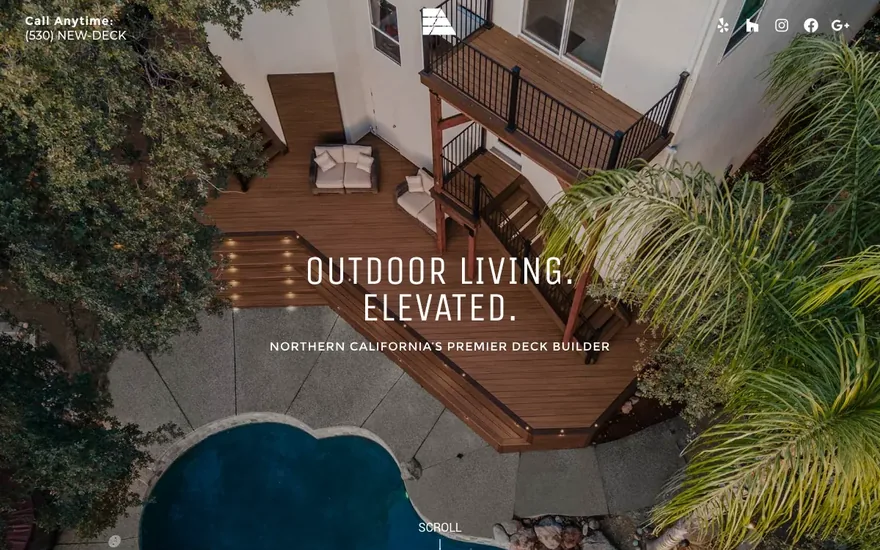
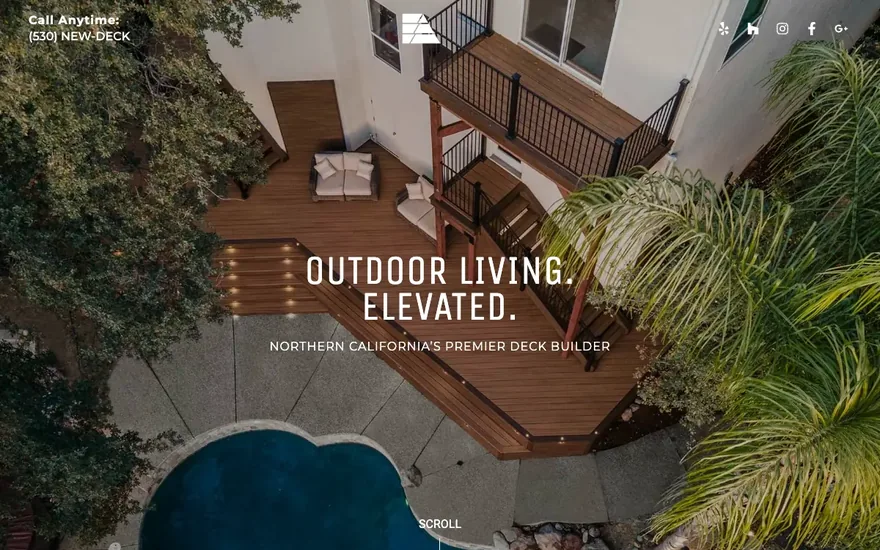
Stone Ridge Decking was a WordPress/Elementor build using PAFE forms. Their homepage carried 7,270 builder class strings and 702 nested divs. On mobile the live site scored just 73 and painted in a sluggish 5.9 seconds.
The rebuild uses just 106 divs and now scores an incredible 97 on mobile, loading in well under half the time at just 2.4 seconds.
| stoneridgedecking.com homepage | Before: WordPress + Elementor | After: Astro | Change |
|---|---|---|---|
| Performance score (mobile) | 73 | 97 | +24 pts |
| Largest Contentful Paint | 5.9s | 2.4s | ‑59% |
| First Contentful Paint | 2.6s | 1.2s | ‑54% |
| Total Blocking Time | 0ms | 0ms | Even |
| Speed Index | 4.4s | 2.4s | ‑45% |
| Homepage HTML weight | 376 KB | 73 KB | ‑81% |
| DOM elements | 1,188 | 439 | ‑63% |
| Nested <div> count | 702 | 106 | ‑85% |
| Page-builder cruft (class strings) | 7,270 | 0 | Gone |
| Script tags | 27 | 5 | ‑81% |
Same method, same tool, same day. A client's real site, not a demo..
Roger that, but can I edit the site myself?
Host with Proxy and get access to BERT CMS. Changing text or images? Simply point and click. For anything else, simply ask BERT, your new AI assistant. He's trained on our own design/development playbooks and can handle everything from writing new blog posts to planning and building multi-page user flows.
Not hosting with Proxy? Swap in Cloudflare's EmDash CMS and launch on Cloudflare or host of your choice at no extra cost.
Your real site opens in an editing canvas. Click any text on the page and change it right there, the way you would in a document.
Click the picture you want gone, pick the new one off your desktop, and watch it land on the page immediately.
Describe the change in plain English. BERT edits the real source of your site, not a watered down copy of it, and shows you the result.
Stop typing and the draft is already saved. There is no Save button to hunt for and nothing to lose by closing the tab.
Pin a note to the exact element you are talking about. BERT changes that one, not every other thing that looks like it.
Every change is built and tested before you ever see it, on a private link. Your live site does not move until you press Launch.
The revisions panel lists every launch and every draft with a date and a name. One click puts any of them back on the live site.
Flip the canvas to tablet or phone width before you launch, so you find the awkward line break instead of a customer finding it.
Meta title and description with live character counts, canonical URL, an SEO checklist, and scheduling. A post with no meta will not publish itself; we would rather nag you than rank badly.
Upload, sort into folders, search and bulk move your images. It crawls your live site to tell you which ones are actually in use.
BERT is fenced off from your keys, configs and dependencies at the server, not by asking it nicely. Design, layout and copy only.
Your approved colors, fonts and tone ride along on every request, next to Proxy's own design, accessibility and SEO rules. It shapes new copy; it never rewrites yours.
Forget WP Admin. Get the dashboard built to run your sites and your business.
More than just hosting. It's a command center for site owners. Cloudflare's global edge network for enterprise grade speed and security and an unbelievable 250GB of storage are just the beginning. Monitor site performance, security scores, and analytics while your team edits sites and add new posts and products 24/7 with BERT, your handy AI design assistant.
Create automatic replies and drip sequences to email leads and entire mailing lists from your own domain. Plus, accept bookings and video calls with the built in scheduler tool. New features being added regularly. Proxy hosting is also perfect for agency clients who like to easily manage guests and team members. White labelling is available!
Bought separately this stack runs up to . Here it's just one bill, one login per user, and unlimited seats. This is what hosting was always meant to be!
Cached at the edge, closest to every visitor. Enterprise grade speed and security, with SSL, DDoS protection and daily backups included.
Store images, video, documents and media libraries on an unbelievable 250 GB on Core or 1 TB on Ally.
Monitor site performance, security scores and analytics for every site, re-scored automatically so you see a regression before a visitor does.
Your team edits sites and adds new posts and products around the clock with BERT, your handy AI design assistant.
Automatic replies and drip sequences to email leads and entire mailing lists, sent from your own domain rather than ours.
The built-in scheduler takes bookings against your real availability and hosts the call. One tool instead of a calendar app plus a video app.
Your logo, your colors and your domain across the whole portal. Perfect for agencies; your clients never see Proxy branding.
Manage guests and team members from workspace settings, with unlimited seats. The bill does not move when your team does.
Managed updates, daily backups and security monitoring. Nothing to patch on a Tuesday, nothing to break while you sleep.
Every form on every site lands in your portal's inbox. Automatically sort and nurture leads with email lists.
The portal ships improvements continuously and you get them the moment they land. No upgrade fee, no migration, no plugin to install.
Bought separately this stack runs up to $367 a month. Here it is one bill, one login per user, and unlimited seats.
Drop a URL. Get a site back. That's honestly the whole thing.
We already have everything we need, and it's on your current website.
Choose your build and fill out the order form. Your address, your email, and anything you want us to know. That is the entire order form.
You get a confirmation email right away. Our scanners crawl the site to verify the real page count, then we send back your quote and an invoice for the full amount.
Your site comes back as lean, static Astro, matched to the original. Same brand, same copy, same structure. A standard conversion takes 10 days.
We email you the finished site on a private address. Open it on your phone, open it next to the old one, poke at everything.
Mark up anything you want changed right on the page with Gizmonote. Click the spot, type the note. No screenshots, no emails with "third section down, on the left".
Revisions are UNLIMITED. We work through your notes and send new versions until your site is perfect.
When you say go, we point your domain and launch your blazing new site with enterprise grade speed and security!
A standard conversion is done in 10 days.
Clone keeps your design exactly as it is. Upgrade rebuilds it and hands you two fresh concepts from a designer.
An exact duplicate of your WordPress or other site rebuilt on Astro. Up to 5x faster load times with enterprise grade security. No database to hack. No plugin bloat. It's just your website loading at warp speed and built to last!
$1,500
or FREE with 6 months of any prepaid SEO plan
Everything in Clone plus our UX/UI designers improve and enhance your existing site with two fresh new concepts to choose from. It's like snagging a better version of your site from an alternate dimension!
$2,500
or FREE with 6 months of any prepaid SEO plan
We're not your basic design and development studio, so naturally that brings a lot of questions. Luckily, we have answers! Don't see what you're looking for? Feel free to drop us a line and one of our team members will be happy to answer any questions that come to mind.
Websites
Host with Proxy and get access to BERT CMS. Changing text or images? Simply point and click. For anything else, simply ask BERT, your new AI assistant. He's trained on our own design/development playbooks and can handle everything from writing new blog posts to planning and building multi-page user flows.
Not hosting with Proxy? Swap in Cloudflare's EmDash CMS and launch on Cloudflare or host of your choice at no extra cost.
For the time being, no. We can only host sites built or cloned by Proxy. Adding and designing your own sites from inside the portal is coming in an upcoming release.
The way in is a Clone, from $1,500, live in 10 days. We keep your design, your words, your page addresses, and your links, and rebuild what's under them. After that it's a Proxy site and every plan on this page applies to it.
Astro is the framework we build every site on. Its defining idea is that it renders your pages to plain HTML at build time, before anyone visits, and ships zero JavaScript by default. Nothing is assembled while your visitor waits. The page is already finished before anyone asks for it, and it's served as a file from Cloudflare's edge rather than built by a server on demand.
When a page genuinely needs interactivity, a gallery or a multi-step form, Astro sends just that one component and leaves the rest of the page as static HTML. That approach is called islands, and it's why an Astro page stays fast even when it's doing something clever.
The practical effects are worth spelling out. There's no database to hack, because the site is compiled ahead of time and has nothing for an attacker to query. There's no plugin bloat, so you're not running thirty third-party add-ons just to make the site work, which closes off the most common route into a site. And because Cloudflare caches the whole site at the edge, close to each visitor, it absorbs a viral traffic spike without breaking a sweat or costing a fortune in hosting.
Do a quick search and you'll notice Astro is just as easily called by its other name: The WordPress Killer. WordPress builds every page on demand. A visitor arrives, PHP wakes up, queries a MySQL database, runs whatever plugins are installed, and only then sends a page. Astro did all of that once, at build time, and serves the finished file. Same content, a fraction of the work.
For a marketing site, a brochure site, or a blog, there's no contest on speed, security, or running cost. Need something niche? Just ask. We can build it.
On Cloudflare Pages, as static files rather than a server assembling pages on demand. SSL, DDoS protection, and daily backups come with it, and we manage all of it. There's no server for you to think about, patch, or pay for separately.
It's also why we don't meter your traffic. Serving a static page costs us close to nothing, so charging you per visit would be charging you for something we're not paying for.
Ten technical foundations are prepared all at once, and not over the course of months or years like SEO agencies commonly practice. This is because search and AI answer engines can only reward a site they can crawl, read, and trust:
That's the whole point of cloning it. Your page addresses, your titles, your headings, your internal links and your content all move across unchanged, so there's nothing for Google to re-learn. What changes is the technical layer underneath: speed, structure, crawlability, and Core Web Vitals, which are the things that were holding the site back.
A rebuild fixes all of that in one move, ensuring your site is up to search and AI engine standards from the start, not fixed slowly over time like with basic SEO agencies. Monthly technical SEO chips away at one problem at a time on a foundation that keeps generating new ones.
You do. The design, the content and the domain are yours, and we hand over the files if you ever move on.
A Clone launches in 10 days, guaranteed. An Upgrade shows you its first concepts within 5 days, guaranteed, and usually launches in 10. A branded build runs four to six weeks, depending on how fast content and feedback come back. You watch every step on a progress board in your portal.
A round is one batch of notes. Pin everything you want changed right on the page with Gizmonote, send it all at once, and we work through the whole list and send you a new version. That's how two rounds fit inside 10 days. Revisions are still unlimited. Each extra round just adds 2 days.
On a Clone, a revision is anything that doesn't match your original site, and there's no limit. On an Upgrade, a revision refines the design you picked. Once you choose a concept, its foundation is set: the layout and section order, the fonts, the color palette, and the overall art direction. Inside that, ask for as much as you like. Spacing, sizing, images, copy tweaks, and color adjustments within the palette are all revisions, and they're unlimited.
Changing the foundation is a new concept, not a revision. "Make it feel completely different," "try a new layout," and "different fonts and colors" each start a fresh concept, which is $700 on an Upgrade.
An Upgrade improves the site you already have: the same pages, the same structure, and the same content, with a much better design. A new sitemap, a new strategy, or new messaging is an Evolve project.
So anything a revision would need beyond that is priced, not free. A new page layout is a $250 template, a new page is $50, and copywriting and a custom logo come with Evolve.
If your Upgrade starts turning into a full redesign, switch to Evolve and pay just the difference. That's $6,500 on top of the $2,500 you've already paid.
Cloned Sites
A Clone is a carbon copy of your WordPress site that is visually indistinguishable (within 97% tolerance) from the original. It loads up to 5x faster and hits 90–100 on mobile.
Visitors can't tell. Search engines only notice that it got dramatically faster and that every technical problem was fixed in one move. We check your site from every angle and screen size so it's completely responsive and mobile first.
It sounds simple, but it isn't. Reproducing a site faithfully is genuinely tricky, and we spent a long time getting the process reliable rather than approximate. Connecting the rebuild to a CMS was its own challenge. We've got the whole thing down to a simple, reproducible product that builds a perfect performance enhanced Clone every time!
You can edit your rebuilt site with our own BERT CMS via Proxy hosting, or you can always choose Cloudflare's EmDash CMS if migrating to another host.
A typical WordPress and Elementor build comes out considerably faster once it's rebuilt, in the range of a 17 to 34 percent improvement, along with a long list of technical SEO fixes. Heavier builds show more drastic improvements, with one mobile score improving from 65 to 99, and largest element paint in about 2 seconds instead of 10.
The rebuild also covers the technical improvements the site needed anyway, which is what makes it a foundation for SEO rather than a cosmetic change. See the measured before and after.
Then we price the extra rather than the whole job again. The $1,500 base package covers up to 15 pages and 50 blog posts, which fits most small and mid-sized businesses. Beyond that, a Clone is $150 for each unique page template and $30 per page built from that template, and an additional $300 per 25 extra posts. Upgrade is $250 and $50. Spawn and Evolve are $500 and $100. Multilingual sites add an $800 setup plus $400 for a small language edition or $600 for a large one.
A real example: a 125 page site with 100 posts across 11 languages came to a little over $12,000. That sounds hefty until you price a redesign of the same thing.
A Clone launches in 10 days, guaranteed. It's a faithful rebuild of a site you already have, so we can measure exactly when it's done.
On both Clone and Upgrade, your first concepts land within 5 days, guaranteed. An Upgrade is creative work, so its launch date isn't guaranteed. In most cases 10 days covers two rounds of revisions and launch, and each extra round adds 2 days.
Both are billed 100% up front.
The Free Build Offer
Because search work on a slow, broken site is money spent pushing a rock uphill. A rebuild fixes every technical problem at once instead of chipping at one a month, so the SEO we do afterward actually lands. Doing them together is the only version that works, so we price them together.
Nobody wins an SEO race in 30 days. Six months is the honest minimum before you can judge the results, and paying it up front is what lets us hand over a site worth thousands on the first day instead of the last.
Because we're selling the search work, not the site. Six months is the minimum engagement where SEO shows meaningful results, and it's only because you're buying that engagement that we can hand over the build for nothing. You pay smaller amounts monthly, and when the extra customers turn up you hopefully keep going past the six month contract. If you don't, we sold at a loss, and we're betting we won't.
We used to charge a minimum of $9,000 with $4,500 up front for a site, even a rebuild, and it took eight to twelve weeks. A six-month Pulse engagement is $3,000 all in and the site comes with it. Most builds now take about two weeks rather than three months, because the process is a product now instead of a bespoke project every time.
An SEO agency will bill you every month to tinker with the site you already have. We're web developers, so we'd rather rebuild it properly once and get every technical fix out of the way at the start. Think of the rebuild as doing all the technical optimization up front rather than a little at a time… forever. Just one of the many perks of hiring web developers for your SEO needs.
SEO
Yes. SEO & AI Search only run on sites we host, because the work is inseparable from the build. We rebuild your pages, set the technical foundations, publish the topic clusters and re-measure every month. On somebody else's host we can't deploy, can't guarantee the Core Web Vitals we're being paid to move, and can't roll anything back.
So we include the hosting. Every SEO plan covers Core in full, a $99 a month value, for as long as your plan runs. Core is free, and if you'd rather have Ally you pay only the $150 difference.
Plans are $500, $1,000, and $2,000 per month, named Pulse, Signal, and Beacon. Every engagement starts with a foundation: we rebuild your site on Astro with our SEO baseline for $1,500 one time, or free with a paid six-month plan. After that it's month-to-month and you can cancel any time.
Because SEO compounds, and six months is the honest window to see it work. Technical fixes can move things within a few weeks, but getting named consistently by Google and AI builds over months as your content, entities, and reviews add up. Six months is long enough for the work to land and show real movement, and it also covers the free site rebuild we deliver up front. After your six month foundation is built, your plan switches to month-to-month and can be cancelled any time.
Technical fixes can change how AI reads your site within a few weeks, and you'll usually see early movement in the first month or two. Real, compounding results build over the full six-month program, which is why our first term is six months. We set an honest baseline on day one and target meaningful gains by month six.
We still publish. We just don't pad a word count. Writing the page is about 20 percent of what makes it rank. The other 80 percent is the work post factories skip: benchmarking where AI names you, fixing the technical foundation, making you one consistent business everywhere online, building the pages that answer real buyer questions, optimizing the pages already ranking, and earning mentions. Ten thin posts is activity you can count. Being the named answer is the result.
Because speed decides whether people stay, whether they buy, and whether search and AI engines can read you at all. Slow pages lose visitors before they act, so speed feeds straight into your conversions and leads. Google measures load speed and stability with Core Web Vitals and rewards a good page experience, so it's a real ranking factor, though not the only one. AI answer crawlers also work on a time budget, so a slow page can time out before it's read and leave you out of the answer entirely.
Hosting, and the Fine Print
No. We can export your build to the host of your choice at no extra charge.
You'd swap BERT CMS for Cloudflare's EmDash CMS and launch on Cloudflare or wherever you like.
Not yet, but a self-hosted version of our Proxy Portal app is coming soon!
Yes. Add white label for $99 a month and the whole portal becomes yours: your logo, your colors, your domain. Your clients log in to your brand and never see Proxy.
There's no separate agency plan to qualify for or migrate to. It's the same Core account at $99 with sites at $25 each, plus the white-label switch. So an agency pays exactly what everyone else pays, and the sites never get cheaper or more expensive with volume.
Unlimited seats are included, so bringing your whole team costs nothing extra, and every site you add brings its own AI credits into the shared pool. With custom AI credit limits, you can control which sites get more credits, leaving the remaining sites to split the rest.
Yes. Every site you add brings 25 AI credits a month with it, and they pool into one balance for your whole account. So a portfolio of ten sites has ten sites' worth of AI behind it, and a quiet site's credits are free for you to spend on the busy one.
That's not how most builders do it. Duda grants 150 credits a month whether you run one site or four hundred, and Webflow's allowance is fixed per workspace too. Your credits should grow with your portfolio, because your work does.
Ask about our Clone sites instead. We'll rebuild your WordPress site as an Astro site starting at $1,500.* You keep your look, your words, and your links with guaranteed performance enhanced results.
*Covers most sites. Larger or multilingual sites are quoted.
There isn't one. Visits and bandwidth are not metered on any plan, so there's no number to go over and no overage to bill. A static site served from Cloudflare's edge costs us close to nothing per visit, so charging you per visit would be charging you for something we aren't paying for.
Go viral. Enjoy it. A spike means something good is happening to your business.
Visits and bandwidth aren't metered. Storage, AI credits, emails, and video minutes are, and all four are visible in your portal at any time. Seats and contacts are never counted at all.
You see it coming. Every meter lives in your portal, we warn you before you get there, and the top-up is a button in the same view. The a la carte prices in the Hosting tab are the whole list. Nothing gets deleted and nothing gets billed without you clicking it.
Large video belongs on a streaming service rather than the media library. Ask us and we'll set it up. It keeps your site fast and your plan predictable.
Invite as many teammates and guests as you'd like to your account. Seats are free and always will be. We price what you use, not who uses it, which is the opposite of nearly every tool this replaces. Add your team, your partner agency, and your accountant. The bill doesn't move.
Never. Unlike other mailing SaaS, you get UNLIMITED contacts on every plan. We count sends, not people, because a contact sitting in a database costs us nothing. If you have 20,000 contacts and email them twice a year, you're on the cheapest plan we offer and you stay there.
No. Your current plan keeps running exactly as it is. If you decide to convert to Astro, you'll choose between Core or Ally hosting, and that's when changes occur. You can make the switch yourself from the billing tab in your portal whenever you're ready.
Right here: our terms of service and acceptable use policy. The numbers on this page are the ones the agreement points at, which is why they live here and not buried in a contract.
Hosting
Bought separately, the tools already live in your Proxy account run $220 to $367 a month for a two person business. Every price came off the vendor's own pricing page. The low number is their leanest tier on annual billing, the high number is the tier that actually matches what you get here, month to month.
| Capability in the portal | Closest standalone tool | Monthly |
|---|---|---|
| Managed hosting + CMS | Webflow Premium | $25 to $39 |
| AI site editing assistant | Lovable Pro, or v0 Premium | $20 to $25 |
| AI content writing | Jasper Pro | $59 to $69 |
| Automation center | Zapier | $19.99 to $49 |
| Video calls | Zoom Workplace | $28.32 to $36.66 |
| Meeting scheduler | Calendly | $20 to $40 |
| Site analytics | Plausible | $9 to $19 |
| Email broadcasts and sequences | Mailchimp Standard, or Drip | $39 to $89 |
| Bought separately | 8 tools, 8 logins, 8 invoices | $220 to $367 |
| Included with Core | One account, one invoice, unlimited seats | $99 |
Most of those bill per seat. Add a second, third or sixth person and their number climbs while ours doesn't move.