Why Your Website Redesign Is Failing: 7 SEO Mistakes Your Web Designer Is Making

The seven most common SEO mistakes in website redesigns are changing URLs without 301 redirects, prioritising visual design over page speed, removing content without traffic audits, creating flat site architectures, using incorrect heading hierarchies, failing to implement schema markup, and launching without post-launch SEO monitoring. Each mistake is preventable when SEO is integrated into the design process from day one.
A website redesign should improve search performance. Yet for a significant number of businesses, the opposite happens. They invest thousands, launch to internal praise, and then watch organic traffic drop as rankings disappear. With 60% of Google searches now ending without a click due to AI-generated summaries, and Google AI Overviews appearing in 88% of informational queries, the consequences of a poorly executed redesign are more severe than ever.
The root cause is nearly always the same: the web designer or agency treated SEO as someone else’s problem. Web design and search engine optimization are deeply interconnected. Decisions made during the design and development process, from URL structures and heading hierarchy to schema markup and page speed, have direct, measurable consequences for how your website performs in both traditional search engines and AI-powered tools like ChatGPT, Perplexity, and Google AI Overviews.
This article breaks down each of the seven mistakes in detail, explains why they damage search visibility, and describes what a competent agency should be doing instead.
1. What Happens When You Change URLs Without Redirects?
Changing URLs without implementing 301 redirects is the most damaging SEO mistake in website redesigns. Every URL accumulates search equity over time through backlinks and indexing history. Without proper redirects, all of that equity is lost overnight, and search engines drop your pages from their index entirely.
Your agency should provide a complete redirect map as a standard part of any redesign project, matching every old URL to its new equivalent. This is non-negotiable.
2. How Does Visual Design Destroy Page Speed?
Heavy animations, uncompressed images, external font loading, and unnecessary JavaScript libraries destroy Core Web Vitals scores. Google uses page speed as a ranking signal, users bounce from slow sites, and AI search engines favour fast-loading sources. Visual impact at the expense of performance directly reduces search visibility.
If your designer is not testing every design decision against performance benchmarks, visual impact is coming at the direct expense of your search performance and AI search citation potential.
3. Why Is Removing Content During a Redesign Dangerous?
Removing content during a redesign is dangerous because pages you consider outdated may be driving significant organic traffic for keywords you did not know you ranked for. Before any content is removed, a thorough audit should identify which pages drive traffic, rank for valuable keywords, and have backlinks pointing to them.
Content consolidation can be valuable, but it needs to be strategic, not arbitrary. Data-driven decisions prevent accidental destruction of search equity.
4. How Does Flat Site Architecture Hurt SEO?
Flat site architecture with minimalist navigation buries important service pages multiple clicks deep in the site hierarchy. Search engines prioritize pages that are easy to find and well-connected within your site structure. If key conversion pages require four clicks to reach from the homepage, both Google and AI search engines interpret them as low priority.
5. Why Does Heading Hierarchy Matter for AI Search?
Heading hierarchy matters because both traditional search engines and AI systems use H1–H4 structure to understand what your page is about. Designers often use heading tags based on visual sizing rather than logical document structure. Using an H3 before an H2 or multiple H1 tags sends confusing signals that reduce your chances of being cited in AI-generated answers.
Proper heading structure is not a design preference. It is a technical requirement for both SEO and AI search visibility. For more on how AI systems parse content structure, see Schema Markup and Structured Data: The Hidden Advantage Most Web Designers Ignore.
6. What Happens Without Schema Markup?
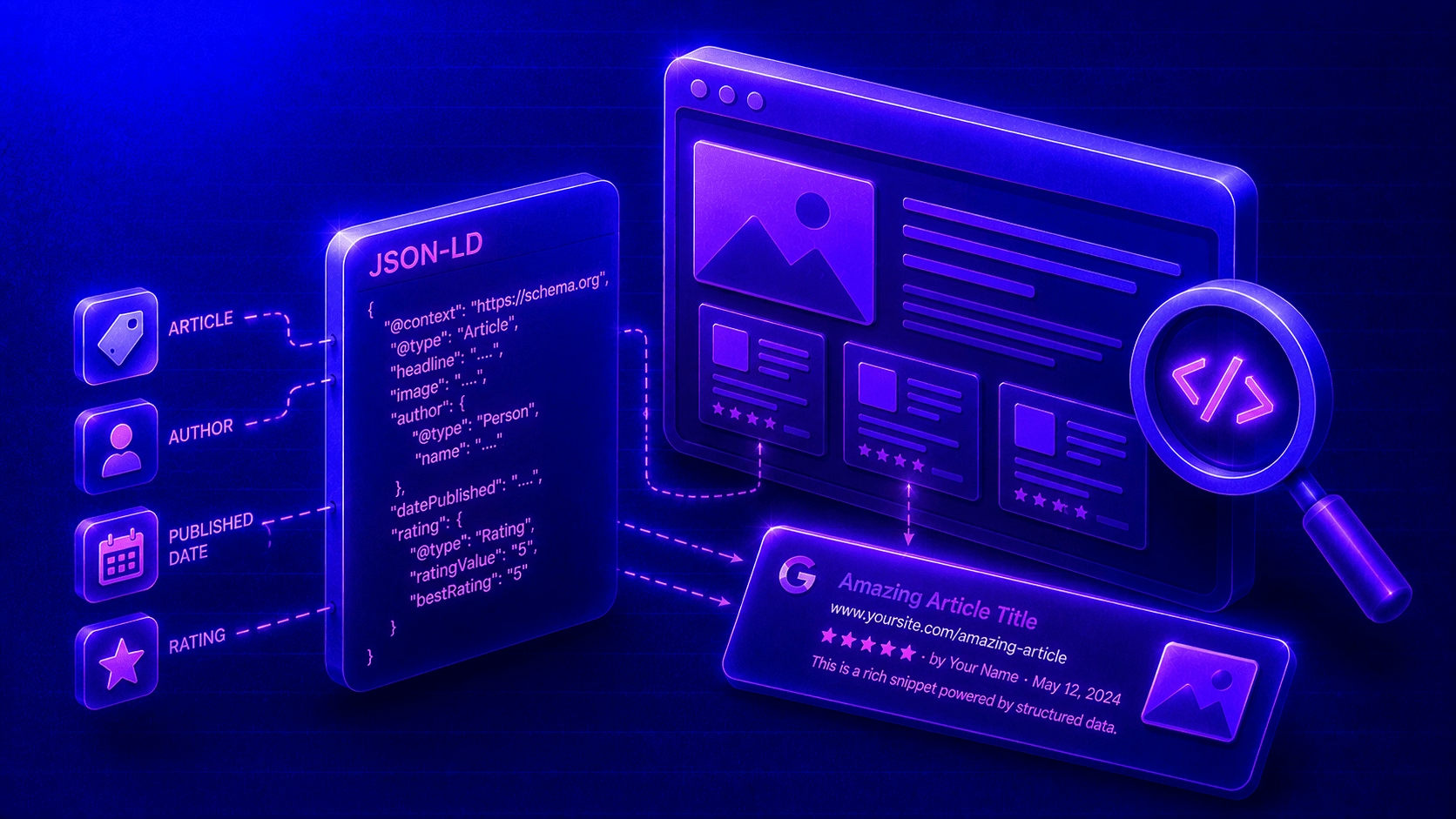
Launching a website without schema markup in 2026 means AI search engines cannot efficiently understand what your content represents. Sites with comprehensive schema markup (Organization, Article, FAQ, BreadcrumbList) are cited 2–3x more frequently by AI engines. Most web designers do not implement it, creating an enormous competitive gap.
Your site needs Organization schema at minimum, with LocalBusiness, Article, FAQ, and BreadcrumbList schemas added where appropriate. This is no longer optional for businesses that want to appear in AI-generated answers.
7. Why Is Post-Launch SEO Monitoring Essential?
The weeks following a site launch are when most SEO problems surface. Rankings fluctuate, crawl errors appear, and redirect chains cause issues. Without monitoring for at least 90 days after launch, problems go undetected during the most critical period for your new site’s search performance. A responsible agency provides regular performance reports throughout this period.
If your agency hands you the keys and disappears after launch, you are flying blind during the period that matters most.
The Bottom Line
A website redesign should improve your search performance, not destroy it. If your current agency is making any of these mistakes, it is time to have a serious conversation about their process, or start looking for a partner who treats SEO as a core design discipline.
Not sure where to start? Our guide on how to choose a web design agency that delivers SEO and AI search results walks you through exactly what to look for. And if you are weighing up a custom build versus a template for your redesign, see Custom Web Design vs Templates: Which Gets Better SEO and AI Search Results?
At Proxy, SEO is embedded in every stage of our web design process. We do not build beautiful websites that nobody can find. We build websites that perform.
Frequently Asked Questions
Will a website redesign hurt my SEO?
A website redesign will hurt your SEO if the agency does not implement proper 301 redirects, maintain your site architecture, preserve high-performing content, and implement schema markup. When SEO is integrated from day one, a redesign should improve your search performance.
How do I keep my rankings during a website redesign?
Keep your rankings by maintaining URL structures where possible, implementing 301 redirects for all changed URLs, preserving content that drives organic traffic, maintaining proper heading hierarchies, implementing comprehensive schema markup, and monitoring search performance for 90 days post-launch.
What is a 301 redirect?
A 301 redirect is a permanent redirect that tells search engines a page has moved to a new URL. It transfers the search equity (ranking power) from the old URL to the new one. Without 301 redirects during a redesign, all accumulated search value is lost.
Should I hire an SEO specialist for my website redesign?
Ideally, your web design agency should have SEO expertise built into their process. If your agency treats SEO as separate from design, you should either hire an SEO specialist to work alongside them or choose an agency like Proxy that integrates SEO as a core design discipline.
How long after a redesign do SEO results stabilise?
SEO results typically stabilise 3–6 months after a properly executed website redesign. Some ranking fluctuation is normal in the first few weeks. If traffic drops significantly and does not recover within 60 days, there are likely technical SEO issues that need urgent attention.
What is the most common SEO mistake in website redesigns?
The most common SEO mistake is changing URLs without implementing 301 redirects. This single error can destroy years of accumulated search equity overnight, causing immediate ranking drops and broken backlinks across the web.